Category: Uncategorized

  • Technology in Medical Education

    Technology in Medical Education

    Everybody is aware that an MBBS (Bachelor of Medicine and Bachelor of Surgery) degree is an undergraduate course for aspirants who want to fulfil their dream of becoming a doctor. It is a professional degree in the field of medical sciences. A person holding the MBBS degree becomes a certified medical practitioner. But it is almost a necessity nowadays to enrol for a post-graduation after MBBS and have the knowledge to use the latest technology in the field.

    Technology in Medical Education

    Specialist doctors with the know-how on sophisticated technology are in high demand throughout the world. In India, the topmost universities are providing technology-oriented education for the students pursuing post-graduate degrees in medical sciences. One of the best in the country for pursuing an MD (Doctor of Medicine) or MS (Master of Surgery) is PGIMER (Post Graduate Institute of Medical Education and Research).

    The medical research institution was established in the year 1962 in Chandigarh. It is equipped with all sorts of educational, medical research, and other training facilities with the latest technology for the students to work with. The institute is known for its excellence in imparting the best clinical knowledge to its resident doctor.

    It is done through a thoughtfully structured academic curriculum consisting of journal clubs, interdisciplinary meetings, and other activities done by each department. Faculty has a keen interest in teaching, paper writing & research which obviously helps a student. The admission to PGIMER is through the entrance exam conducted twice a year. It is mandatory to hold an MBBS degree and candidates should have completed a one-year rotatory internship.

    Technology in Medical Education

    Universities are nowadays focusing more and more on using technology to teach the students.

    • Computer-assisted Learning: Education of medical students is being enhanced using computer-assisted learning nowadays. The use of flipped classrooms in which students review an online lecture before the lecture session and come to the classroom to have an interactive session with the teacher is becoming common. It helps in further exploring complex issues or discussing and solving questions in more personalized guidance and interaction with students, instead of lecturing.
    • Mobile Devices: Personal digital assistants (PDAs) are routinely used by students for medical questions, patient management, and treatment decisions. Medical apps for iPhones and Android devices are numerous. Apps focus on different areas such as anatomy and physiology, medical problem solving, diagnosis, and treatment.
    • Digital Games: The application of digital games for training medical professionals is on the rise. The so-called “serious” games provide training tools that provide challenging stimulating environments and are often used for training for future surgeons. The use of serious games for surgical training improves eye-hand coordination and reflex times.
    • Simulation: The aim of the simulation is to imitate real patients, anatomic regions, or important clinical tasks. It helps the students by mirroring the real-life circumstances in which medical services are rendered and teaching them how to act in those situations. The use of simulation may range from different sophistication, it can be a simple reproduction of isolated body parts while it can also be complex human interactions portrayed by simulated patients. There are high-fidelity human patient simulators available that can completely replicate a live human’s body.

    VR (Virtual Reality) simulation refers to the recreation of environments or objects as a complex, computer-generated image. The difference in VR simulation from a traditional simulation is that, here, user interactions are with the computer display as it is the computer that simulates the physical world.

    JIPMER is Another Excellent Choice:

    The Jawaharlal Institute of Postgraduate Medical Education and Research is another medical institute in the country providing world-class technology-oriented education for the students of JIPMER PG. The institute established in the year 1823 in Pondicherry, the capital of Puducherry Union Territory was renamed in 1964 in honor of India’s first prime minister Pandit Jawaharlal Nehru.

    Admission to the institute also follows the common process of registering through the website and attending the entrance exam. Candidates should hold an MBBS degree from a recognized institute/university to be considered for admission. Selection will be purely based on merit and performance in the exam for JIPMER PG.

    Medical Technology Has Been Here- Then, Now and Forever:

    From pregnancy tests to ultrasound scans, medical technology has been with us before we were born. When we wounded our knee as a child, there was a plaster; if our vision blurs, there were glasses. When we become unwell, diagnostics and medical devices help healthcare professionals restore us to good health as quickly as possible. Should somebody need surgery, medical technologies will ensure they get the care they need in a way that is safe and minimally invasive.

    If our blood vessels become blocked, stents can help clear the way; if we are seriously ill, an MRI scan can find the cause; if we require monitoring, digital health tools can check your health status and communicate vital data to health professionals. The technology will keep on advancing and helping to keep humans healthy.
  • CREATE BOOTABLE USB DRIVES FOR WINDOWS 7/10 & MAC EASY WAY

    CREATE BOOTABLE USB DRIVES FOR WINDOWS 7/10 & MAC EASY WAY

    Let us create a Bootable USB drive for the system for windows and Mac. Let solve the matter which has OS is infected with Virus are often solved within the system. You’ll also make a copy within the OS with a pen drive like to follow the instructions from the OS and storage devices space in these steps.  Install the Operating system from the system using the Bootable with storage drive.

    HOW TO CREATE BOOTABLE USB DRIVES FOR WINDOWS 7/10 & MAC

    Drivers can be installed from the bootable driver and which is effected or need drivers in the system. In the old days, Microsoft windows or operating system will be installed by disc or CD or DVD-ROM and optical data, which is decreased, and technology is moved farther, and OS can be installed through the storage drive called BOOTABLE drive. You can get the digital license in the system and download it directly from the online.

    Install the operating system for the system with an external installation medium. Many users are using bootable USB Drive—it faster and more compact than an optical data carrier, which has many other possible uses.

    The system may have several issues because of system failure, and Virus, partition problems can be successfully rebootable in the system. If you’re using the USB for booting the machine storage devices the runs the OS within the motherboard and drivers within the hardware of the system

    STEPS TO CREATE BOOTABLE USB DRIVE FOR WINDOWS 7/10

    You can easily create Bootable storage with an installation media tool from Microsoft. You can also create the Bootable drive using the Command prompt. The bootable drive can easily be created through an installation media tool without errors. Here are the simple steps of a bootable pen drive using the installation media tool with windows.

    1. Open the Microsoft official website and search for the installation media tool to download the windows10 for the storage device.
    2. Please click on the download of the installation media tool from Microsoft and Run as Administrator in the system.
    3. Please arrange the flash drive or pen drive with Minimum storage 8GB free space in the Size. Insert the flash drive into your system. You can see once the pen drive inserted in the Notification Bar.
    4. Accept the permission for the media creation tool and run the tool with Terms and service of the Microsoft policies in the installation process. You need the check the Flash drive before you install the OS for the drive.

    create bootlable usb

    1. You need to choose the Flash drive in the Installation media tool and click on the Next in the Application tool.
    2. In this step, you need to choose the Language, Architecture, Edition in the installation tool. It will help in the install process for the operating system. In the windows edition, you can’t choose the system Architecture.

    create bootlable usb

    3. Installation tool Takes default option for pc.

    WINDOWS 10 INSTALLATION MEDIA

    4. In the next step, you need to choose the Flash Drive to download, which has the storage 8GB free space in it. If the flash drive doesn’t have space, it won’t download data from the server.

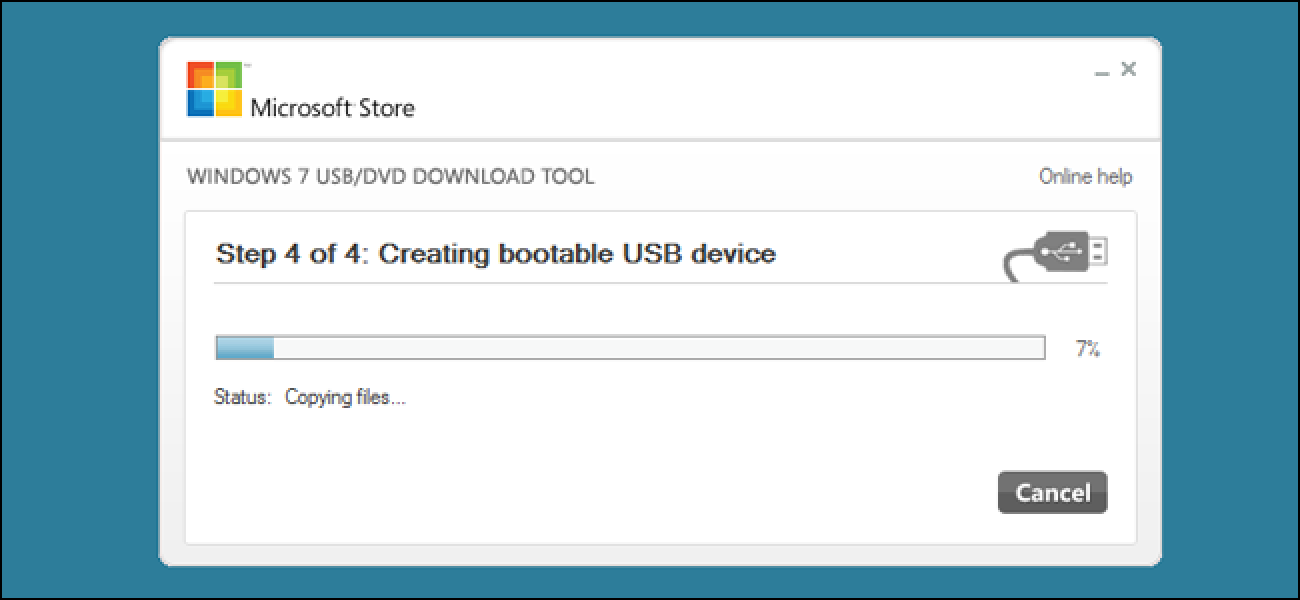
    5. Please click on the next and choose the flash drive. Click on the next, and downloading the data starts and shows the percentage indicator in the installation media tool. The tool shows you success after downloading from the installation.

    CREATE BOOTABLE USB DRIVES FOR MAC 

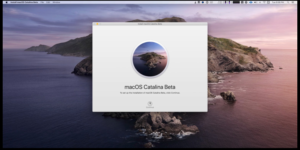
    You can create a bootable USB drive for Mac is so easy and simple in the system. Bootable pen drive with Catalina file in the Mac. You can easily create a bootable pen drive with the terminal tool with IOS operating system. Please insert the flash drive with minimum storage 4 GB space on it. Here are the simple steps to follow the procedure in terminal commands in it.

    1. Download the macOS Catalina public Beta version, which is available in the App Store from Apple. You can easily download the macOS Catalina in a simple download link. We are using the public macOS version for installation in the drive.

    CREATE BOOTABLE USB DRIVE FOR MAC 

    1. After downloading the macOS Catalina in the App Store, which is official from Apple. Close the installer after downloading the packages in the Mac.
    2. Open the Finder and go for Application Option in it. Please scroll down and search for macOS Catalina Beta and Choose the SHOW PACKAGE CONTENTS.

    create bootlable usb for mac

    1. Open the contents in the Resources in the system and Launch TERMINALin the Application. Go TO path: Applications -> To -> Utilities ->To -> Terminal. Type SUDO in the Terminal followed in the space.
    2. Enter the Media in the Terminal window in the Mac.
    3. Please Enter the Command in the Terminal as   –VOLUMEfollowed by a space. Open the Finder -> GO -> GO TO FOLDER. Enter the Command as Terminal to recognize as media /VOLUMES and click GO. Press Return on the keyboard and enter the Password in it.
    4. Type ‘y’ to continue and press Return in the keyboard.
    5. The installation process will take Few Minutes to complete, and process pretends in Terminal.
    6. Creation Bootable Drive for Mac in the Terminal is completed.

    Bootable USB installers available in the media can make a fresh copy of Mac OS. You can boot directly by Holding the Options button on the keyboard.

    CONCLUSION 

    In the process of Bootable pen drive, we have a simple step that arranged from step 1 to step 100% in it. In the creation process, these sets of commands are needed to enter in the Terminal, and commands are simple and tricky to enter in the system.

    You need to follow the commands in the sequence manner to achieve the bootable drive.  In these steps, you will create a bootable pen drive for windows and Mac in the various architecture with Windows 10 64bit/32 bit and iso download from Microsoft in it.

    – Vijay Sai

  • RUFUS DOWNLOAD(64&32bit) FREE FOR WINDOWS 10/8/7

    RUFUS DOWNLOAD(64&32bit) FREE FOR WINDOWS 10/8/7

    You can easily install the windows in your System using Rufus. You can need to download the Windows 10/8/7 based on the requirement from the source. You can need to have the ISO file for the creation of a bootable pen drive in the System.

    You can install the operating system in the System using many tools like PowerISO, Flash, Windows Update, Etcher. You can need to use the perfect tool for the creation of a bootable pen drive in the System.

    RUFUS DOWNLOAD(64&32bit) FREE FOR WINDOWS 10/8/7

    Create windows bootable flash drive in the System using tools that take few minutes through these simple steps here. You can download the ISO file from the various sources from the internet but you need to install the ISO file from the location to flash drive. You need to use the Rufus tool to create the bootable drive in the System.

    You need to check the flash drive and partition scheme in the System before you install the ISO file using the Rufus tools in the System. Before creating a bootable drive, you need to have the flash drive with a minimum free space of 8GB in it. You need to check the flash drive, which is compatible with the bootable flash drive in the System. Here are the simple steps, and you make a parallel along with us in the System.

    STEPS TO DOWNLOAD RUFUS (64&32bit) FOR WINDOWS 

    Here the simple to download the Operating System and Rufus in the System and create the bootable drive in the System. You can make the bootable flash drive along with you and use it whenever you need it. These are steps to make the bootable drive in the System:

    1. Open the official website to download the Rufus tool from it. Please download the Rufus tool and open the Rufus tool in the System.
    2. Download the Operating System in the System from the internet and save its location. You can make whichever you want from Rufus bootable flash drive.
    3. In the Rufus Tool, you use windows 10/8/7 with 64bit/32bit in the drive. You can use another operating system in it.
    4. Rufus will through the admin access in the Hardware change in drive and it will detect the drive-in tool. Please insert the flash drive with Minimum storage of 8 GB space in it.
    5. Choose the ISO file Location from the internal drive in the Rufus Tool to burn the windows 64bit/32bit in the drive.rufus download

    Download Rufus 3.8 Portable (1.1 MB)

    1. You need to choose the ISO images, partition schemes based on the store management. Before you make an option here, you need to check the storage scheme in the Disk.
    2. In computer management, locate the disk management and click on disk management. See the properties of the Disk. Here you can disk properties with volume has the GPT partition in Disk.
    3. Choose the NTFS in the file system and click on the start button here
    4. Once the Disk is ready, and you will get the option to close. You can see the file in the windows file and ISO file in the flash drive. Your pen drive is ready to install the Operating System for your pc or System.Rufus download windows

    Download Rufus 3.8 (1.1 MB)

    FEATURES OF RUFUS FOR WINDOWS

    These are Features of Rufus for creating the bootable drive in the System. Rufus tool helps you in the creation of a bootable pen drive whenever you need them. Rufus is piling code to burn the drive with ISO file in the storage. Here are features and key points about the Rufus tool:

    1. Rufus is a simple, faster, and portable application in the System.
    2. Rufus supports Windows, Linus, Mac, and other operating systems.
    3. Rufus is a low-level utility that is used for creating a bootable flash drive.
    4. Rufus is easy to operate and configure in a tool.

    CONCLUSION 

    Rufus is the tool that is used to make the operating system file in the pen drive by creating a bootable drive for it. Rufus is simple, faster, Low-utility, which is popular to make the bootable drive for System in a simple process.

    Rufus has the open-source code which is available in GIT and gets the code to make the change on your wish. Rufus is compatible with windows, Mac, Linux, and Other. Rufus has more options and a good user interface in it.

    Other Versions (FossHub)

  • Apple Air-pod pro review 

    Apple Air-pod pro review 

    Apple Air-pod pro review 

    Having the best earbuds around your ears feels great. Today earbuds are more developed and integrated with new features making them convenient. Apple is among the brands that manufacture earbuds (air-pods). Apple air-pod pro is wireless and they offer good comfort.

    Apple Air-pod pro gives out the best sound. They are fitted with active noise canceling feature which will eliminate all noise from the surrounding. This New Air has improved battery life. These air-pods are certified IPX4 sweat & waterproof hence you will comfortably use them when exercising.

    Design and Comfort

    These Apple Air-pod ear tips are made with soft material for comfort. They are compact hence more portable. These earbuds are also lightweight therefore you will be able to use them for long without any effect of pain in your ear. This Apple Air-pod is made to be touch-sensitive hence you will easily operate them.

    The Air-pod Pro is fitted with an accelerometer in the inside and on the Air-pod Pro bud itself there is an optical-sensor. The two work together to enable the buds to start & stop the music immediately when the Air-Pods are taken out of your ear. These Air-Pods have a coating which makes it water-resistant hence no worries about water splash or sweat. Each AirPods Pro is labeled on which ear it should be used. R for the right side ear and L for the left side ear.

    Connectivity

    These Air-pod Pros are wireless. All connections are made via Bluetooth. AirPods Pro quickly connects to one’s iPad or iPhone. All you need to do is to open the case and the Air-pods will connect automatically.

    Apple Air-pod pro review 

    Sound Quality

    These Air-pod Pros have an adaptive EQ which will automatically adjust the music to which will suit your ear. The ear tips will give you a snug fit which will block noise from outside. Above all, they have an active noise isolation feature which eliminates all noise. This will greatly allow you to enjoy music even in a very noisy environment.

    These Air-pod Pros have custom speaker-driver an H1 chip and a high dynamic-range amplifier which will give out the superior sound experience. These Air-pod Pros have transparency mode which will allow you to connect and hear what’s happening around you. They have an in-built microphone which will allow having handed free phone calls.

    Comfort Level

    With the soft made ear tip, you will have comfort when using this Airpods pro. The package includes three pieces of ear tips which are of different sizes (small, medium and large). You will be able to choose and use the ear tip which is comfortable for your ear canal.

    Their lightweight and compact design make them suitable for all-day use. There are vents on the tips which will keep the pressure equalized to all sides of the AirPods Pro.

    Battery Life

    AirPods Pro have Lithium-ion batteries which have a lifetime of 4.5 hours. Additionally, they come with a charging case that will give you an additional 24 hours playtime. The charging case can be recharged wirelessly. This will reduce cable connections for convenience. It is well-suited with Qi-certified chargers. However, the charging case doesn’t have a way in which one can know how much power is left.

    Ease of use

    This Air-pods pro is easy to use. They are touch-sensitive hence you need not press which may cause pain inside your ear. You will be able to change volume comfortably. The Air-pods are easy to connect to your iPad or iPhone devices.

    Pros

    • They are certified IPX4 waterproof and sweatproof
    • They come with three pair ear tips
    • With the charging case, you will have long hour playtime
    • Have an active noise cancellation feature
    • They are more comfortable
    • Bluetooth version 5.0
    • They have quality sound
    • They have auto-pause feature when removed from the ear

    Cons

    • They are more expensive than competitors
    • The case gets hot when charging wireless

    What is in the box?

    • A pair of AirPods Pro
    • Three pairs of ear tips
    • Charging case

    Wrap Up

    AirPods Pro is more comfortable than any other true earbuds and hence you should consider having them. They are touch-sensitive. With the charging case, you will be able to listen to music the whole day continuously. With the equalizer setting, you will be able to set the sound you like. You will be up-to-date on what’s happening around when you switch on the transparent mode.

  • How can access Google Gravity and Google Underwater

    How can access Google Gravity and Google Underwater

    Google Gravity: You’ll find the top Google Gravity list here. Google Underwater and gravity is good for you if you are a fan of gravity google. Almost everyone uses Google Gravity and Underwater in our everyday lives.

    Before Google, we can just as easily imagine our lives as we do now. Yet we get bored on Google Home Page several times. And if you want the Google Homepage to be imaginative and interesting, the article is for you.

    How you can access Google Gravity and Google Underwater

    Google Mirror and  Google Underwater are other popular Google searches related to Google Gravity. If we compare the Google search engine with the other search engines, we can find that there are more interesting tricks on Google.

    Is it your question is how you can access Google Gravity

    It’s just simple and easy. you can access by using the desktop browser but not any other mobile applications. There are some methods to see the power of gravity made. Let’s go in detail step by step process of accessing google gravity.

    1.Accessing steps for Google Gravity

    Google Underwater
    Google Underwater are other popular Google searches
    • In your computer or any lap, smartphone or tablet open any browser.
    • Open any browser.
    • on your search bar, you will search “google gravity’’
    • Now search “com gravity”.
    • Now you will get a new page.
    • See and enjoy the magic of tricks on your desktop.

    OR

    You can simply use this trick by clicking here.

    2.Google Underwater

    The Google Underwater trick will amaze you.

    Google Underwater
    Google Underwater are other popular Google searches

    In this trick, the Google Homepage should float on the seawater and with the aid of your mouse you can push the wave on to the surface.

    • In your computer or any lap, smartphone or tablet open any browser
    • Open any browser.
    • on your search bar, you will search “Google Underwater”.
    • Now search “Google Underwater”.
    • Now you will get a new page.
    • See and enjoy the magic of tricks on your desktop.

    OR

    You can simply use this trick by clicking here.

    3. Google Gravity Mirror:

    Google Underwater
    Google Underwater are other popular Google searches
    • This Google Mirror is also a smart Gravity Strategy, where you can see all your search terms while typing and checking in the mirror. You can do that very easily by replacing the said-mentioned stage word “Google Gravity” with “Google Mirror.”
    • In your computer or any lap, smartphone or tablet open any browser
    • Open any browser.
    • on your search bar, you will search “Google Gravity Mirror”.
    • Now search “Google Gravity Mirror”.
    • Now you will get a new page.
    • See and enjoy the magic trick of “Google Gravity Mirror” in your desktop.

    OR

    You can simply use this trick by clicking here.

    4.Google Sphere

    Google Underwater
    Google Underwater are other popular Google searches

    With that trick, you can play in a very beautiful and interesting manner with the Search page. You can use your mouse to rotate and create a circle for any Taskbar icon object around the Google Logo.

    • In your computer or any lap, smartphone or tablet open any browser
    • Open any browser.
    • on your search bar, you will search “Google Sphere”.
    • Now search “Google Sphere”.
    • Now you will get a new page.
    • See and enjoy the magic trick of “Google Sphere “on your desktop.

    OR

    You can simply use this trick by clicking here.

    5.Google Anti Gravity

    Google Underwater
    Google Underwater are other popular Google searches

    Google Anti-Gravity is the funniest trick every object on the Google Homepage can start floating in. You can push any Homepage feature like-button, search box with the aid of mouse click. That’s an amazing trick.

    • In your computer or any lap, smartphone or tablet open any browser
    • Open any browser.
    • on your search bar, you will search “Anti-Gravity”.
    • Now search “Anti-Gravity”.
    • Now you will get a new page.
    • See and enjoy the magic trick of “Anti-Gravity” on your desktop.

    OR

    You can simply use this trick by clicking here.

    6.T-Rex, Run!

    Google Underwater
    Google Underwater are other popular Google searches

    It is now possible to play a secret Google dinosaur version (T-rex version) online for free!

    Click Space Taste or click the T-rex to leap.

    You can Play use this trick by clicking here.

  • How to set up a Ubee router?

    How to set up a Ubee router?

    Ubee is a remarkable company that has been producing routers for many years. There are many happy customers that use Ubee routers for internet access. And the users recommend the company for other internet equipment.

    How to set up a Ubee router?

    If you are a new user of Ubee, then this post will help you. We will show you the procedure to set up your router. After reading this post, you can easily set up your Ubee router without any difficulty. So, you must keep reading this post. It will educate you in a simple manner.

    C:\Users\Nauman Rehmat\Desktop\FINANCE ARTICLES DATA\unnamed.jpg

    What you will require?

    To set up a Ubee router, you need the following things ready.

    • Your local system must be connected with the internet.
    • You must have a laptop or desktop computer where you can access it through the browser.
    • The router’s box of Ubee to know the username and password.

    If you have all the above things ready, then you can proceed to the setup process, which is given below.

    Step 1: Open your browser

    You will need an IP address or URL to access the login page. So, you must open your web browser and put the IP address in the URL box. Every Ubee router has an IP address, which is http:// 192.168.0.1 or http:// 192.168.100.1.

    To access the login page, your system must be connected with the Wi-Fi system.

    Step 2: Login to Ubee router

    After entering the IP address, you need to hit the enter button. It will open the login page for the Ubee router. Now, you need to enter the username and password. You can get the username and password from the router’s box. If you are the new user, then you can use the following.

    • The default username is the “User” without quotation marks.
    • The default password is the “User” without quotation marks.

    If you have changed the username and password, then you must use them. And if you do not remember the details, then you must simply reset the router by pressing the reset button for 15 seconds. It will allow you to reset the username and password.

    Step 3: Changing the default settings

    Now, you can change the default settings such as username, password, SSID, and many other important things. So, you must follow the steps.

    • You must go to the homepage.
    • After that, you must click on the “Tools” option.
    • After that, you can see the password option.
    • Now, you must change the password and follow the screen prompt.
    • We advise you to set a password with a minimum of 15 characters.

    To change SSID

    SSID is the name that you choose for Wi-Fi. So, you must follow these steps.

    • Go to the homepage.
    • Now, you must locate the “Wireless” option.
    • Now, you will see the SSID name, which will be set by default.
    • So, you must change the SSID with your desired name.
    • After that, you must follow the screen prompt.

    Wrap up

    We have described the way to set up a Ubee router. Now, you can use the information to set up your Ubee router. Have a good day. Techwarior is the place to visit for more similar guides on routers.

  • Best walking shoes

    Best walking shoes

    You don’t necessarily have to be a marathoner to burn calories. Before you walk out of the door, you must manage to have the best walking shoes for you that’s comfortable all day, cushions your heel, and looks cute at the same time. Walking shoes are built for comfort. It means that they are not always attractive and catchy.

    Best walking shoes

    Most walking shoes are designed to give comfortable and cushioning support to your feet. But, people usually look for shoes that have all the essentials that walking shoes should have, and must be modish and fashionable at the same time. If you’re a frequent walker, here are some of the best walking shoes for you that favor support, stability, and comfort. Below are some best walking shoes for high arches that you can try.

    C:\Users\Nauman Rehmat\Desktop\FINANCE ARTICLES DATA\Best walking shoes.jpg

    1. Brooks Addiction Walker

    Brooks Addiction Walker is a very comfortable pair of walking shoes. People who suffer from foot and leg pains claimed that using this model alleviated their discomfort and pain. Moreover, the footwear is considered durable.

    Coming to fashion and styling, the overall design of the product seems stylish. And most importantly, the price of this model was reasonable, given its quality build. Generally, the people who have used this model have enjoyed the flexibility and comfort level, and they considered it very supportive and long-lasting.

    Pros

    Genuinely comfortable, long-lasting, and durable footwear designed for walking within a very reasonable price. This model is comfortable to wear for long periods

    Cons

    Some of the customers complained that the shoe is stout and looked clunky, and its interior gets hot. Although the majority of the customers liked its style, some thought otherwise.

    2. Sketchers Performance men’s walk slip-on walking shoe

    Ever since Skecher’s inception, you can see people wearing them everywhere. It’s not a surprise because Sketchers has become the third-largest footwear brand in America. It has all the essentials for consistent performance and ranks it on the top among the most comfortable walking shoes for men.

    It slips on and off easily. It’s made of mesh fabric. It helps make the shoe light-weight, and one of the best things about mesh fabrics is the way they provide excellent ventilation. Your feet remain comfortable no matter how much you walk from place to place in your everyday life.

    Pros

    These are light-weight but still are considered durable and well ventilated by many. They are likely to be slipped on and off easily.

    Cons

    Although they are considered long-lasting and durable by many, some customers still have concerns regarding their durability.

    3. Men’s Balance MX608V4

    Mx608v4 is like for many reasons, comfort being one of the main reasons. It combines many elements, including a quality rubber sole, a cushioned footbed, and a range of sizing that works for men having wide or narrow feet. The thick rubber sole provides excellent grip, which provides a delicate balance.

    It has excellent breathability and doesn’t get overheated even when you’re on a long walk. With all these elements that this model has, you can get it within a very reasonable price range.

    Pros

    It fits well on all sizes of feet, providing an excellent balance and traction. It’s a quality shoe at an affordable price.

    Cons

    It’s not considered as stylish as other walking shoes.

    Final words:

    Considering all the factors, these are some of the best shoes for walkers. They can rely on these models for their long walks or the routine daytime walks. You can check out bestfashionnova for more details reviews of different type of shoes.

    That’s all about best walking shoes, if you still have any confusion let us know, we will try our best to help you.

  • Experience Thrilling Adventures In Wales

    Experience Thrilling Adventures In Wales

    Experience Thrilling Adventures In Wales: Ridges is a delightful nation in United Kingdom which is very well known for its marvelous scene and for its different spots of interests. It is celebrated for its ravishing sea shores where you can really invest loosening up energy. Additionally, in the event that you are confounded this isn’t the correct decision for experience searchers at that point you’re mixed up. Ribs is likewise jam-stuffed with adrenaline siphoning exercises. The following is the rundown of energizing exercises you can attempt in Wales. Visit wales by booking copa airlines reservations.

    Experience Thrilling Adventures In Wales

    Appreciate Surfing at Snowdonia: 
    Appreciate Surfing at Snowdonia:

    Appreciate Surfing at Snowdonia:

    Snowdonia is an absolute first of its sort and here the experience searchers can appreciate different exercises however surfing on the spouting waves which is one such experience which you should have at Snowdonia. Surf Snowdonia is an inland tidal pond where you can appreciate this movement. It is situated in Conwy Valley in North Wales.

    Simply Whizz Along the Quickest Zip-line of the World in North Wales: 
    Simply Whizz Along the Quickest Zip-line of the World in North Wales:

    Simply Whizz Along the Quickest Zip-line of the World in North Wales:

    North Wales is the best spot in Wales to encounter a portion of the truly exciting exercises and one such movement is zip lining. North Wales houses the Zip World where the experience sweetheart can appreciate this stunning movement.

    Appreciate Kayaking in Fishguard: 
    Appreciate Kayaking in Fishguard:

    Appreciate Kayaking in Fishguard:

    At Fishguard you can appreciate kayaking visits which gives the experience and nature cherishing individuals an ideal chance to welcome the magnificence of nature and to have a fabulous time. By doing kayaking in Fishguard territory you can investigate the Pembrokeshire National Park from a through and through various way. You can likewise spot marine creatures while kayaking.

    Have a fabulous time inside the Doctor’s TARDIS in Cardiff Bay:

    Visit the Gallifrey Museum and go in an excursion to enable the Doctor to ponder a danger that could annihilate the universe. It is a one of a kind sort of experience which you can involvement with Cardiff Bay. The experience starts when you step in the background into the biggest assortment of Doctors.

    Appreciate White Water Rafting at Cardiff Bay:

    1. In the event that you love to appreciate the exciting rate and have unmistakable fascination for spouting quick streaming rapids then you should take a stab at boating at Cardiff International White Water Center.
    2. You can pick lower water level and less speed rapids in the event that you are encountering this movement just because.

    Appreciate Coasteering at Pembrokeshire:

    Coasteering is a mix of rock-bouncing, swell-riding, cavern investigating, shore-scrambling and precipice hopping and it is an extraordinary amphibian experience which you can involvement with Pembrokeshire. While getting a charge out of coasteering you can likewise appreciate the wonderful perspectives on the encompassing and you can likewise find natural life. Pembrokeshire coast in Wales is perhaps the best spot where the adrenaline junkies can enjoy coasteering. Viewed as one of the sensational exercises, this action lets the experience fans enjoy wild swimming, shore scrambling and precipice bouncing.

    Appreciate Coasteering at Pembrokeshire

    Ribs gives experience aficionados an astonishing chance to rail up Mount Snowdon. It is the most noteworthy mountain which is settled at a stature of 3560 ft.

    Surfing in Porthcawl:

    • Porthcawl in South Wales is the best spot to enjoy surfing as this spot offers wide assortment with sufficient space and not too bad waves.
    • Thus, all everybody out there who is a genuine admirer of surfing should design a visit to Porthcawl to have the best surfing experience.

    Appreciate Mountain Biking in Afan Forest Park:

    This spot offers the best biking experience. Afan Forest Park is situated at the leader of the delightful valley. Biking here is inside and out various experience which will going to give you vital experience. Visit wales by booking flights with delta airlines customer service number.

  • California is launching satellite to track pollution

    California is launching satellite to track pollution

    California ‘ launches our own little satellite ‘ to monitor emissions, with Planet’s support Senator Jerry Darker declared today. The state collaborates with satellite symbolism provider Planet to create a custom specialisation to detect – and avoid – hazardous outflows with exceptional precision. “pinpoint – and stop – dangerous outflows with remarkable accuracy, on a scale that is never been finished.”

    California is ‘launching our own damn satellite’ to track pollution

    Representative Darker made the declaration in the end comments of the Worldwide Atmosphere Activity Summit in San Francisco, resounding a promise made two years prior to researchers at the American Geophysical Association’s 2016 gathering.“With science still under assault and the atmosphere risk developing, we’re propelling our own damn satellite,” Darker said today.

    California is ‘launching our own damn satellite’ to track pollution

    Planet, which has propelled several satellites over the most recent couple of years keeping in mind the end goal to give close constant symbolism of basically anyplace on Earth, will create and work the satellite. The arrangement is to outfit it with sensors that can distinguish contaminations at their point sources, be they counterfeit or regular. That sort of direct perception empowers coordinate activity.

    Specialized points of interest of the satellite are to be declared as the undertaking hardens. We can most likely expect something like a 6U CubeSat stacked with instruments concentrated on identifying certain gases and particulates. A loop with the satellite passing over the whole state along its centre north / south seems to be; a solitary specialty sitting in one place most likely wouldn’t offer sufficient inclusion. So, different satellites are additionally an expressed probability.California is ‘launching our own damn satellite’ to track pollution

    “Such satellite developments are a piece of another natural development period that is overloading your ability to take care of issues, said Fred Krupp, Ecological Resistance Store’s leader. “Despite anybody else‘s feedback they won’t cut off discharges, yet they will allow … Remarkable, the knowledge we need to ensure our well-being, our health and our …wellbeing, our condition and our economies.”

    The EDF is propelling its own satellite keeping that in mind (MethaneSAT), however will likewise be teaming up with California in the formation of a common Atmosphere Information Association to ensure the information from these stages is broadly available.

    California is ‘launching our own damn satellite’ to track pollution

    More accomplices are required to sign up now that the undertaking is open, however none were named in the official statement or because of my inquiries on the point to Planet. The subsidizing, as well, is something of an open inquiry.

    • The exertion is as yet far off from dispatch — these things require some serious energy — however Planet has positively demonstrated equipped for planning and propelling on a generally short time span.
    • Actually, it simply opened up a spic and span office in San Francisco devoted to directing out new satellites.
  • The Corsair RM850x PSU Audit Outstanding Electrical Execution

    The Corsair RM850x PSU Audit Outstanding Electrical Execution

    Corsair may be one of the biggest organizations in the PC advertising today, offering multiple products in fact, but that was not the situation in general grnpk2582m. several items, yet that was not generally the situation. The organization began off as a producer of memory-related PC items and took them numerous years to much consider expanding into different fragments of the market. Their first critical broadening endeavor far from Slam related items was towards the power supply unit (PSU) showcase, with the organization at first discharging only two or three PSUs.

    The Corsair RM850x PSU Audit Outstanding Electrical Execution

    That move was an incredible accomplishment for the organization and the start of Corsair’s extension towards various portions of the PC advertise.Despite the fact that the organization today delivers several items, regardless they put a lot of consideration on their capacity supply items, with Corsair having not just one of the biggest choice of items however incredible notoriety in the field also. The organization today showcases many PSUs through nine distinctive item arrangements. In the present audit, we are trying a unit of their most well known arrangement, the RMx.

    The Corsair RM850x PSU Audit

    With this PSU, Corsair does exclude thumbscrews, ties, or various embellishments.intended to be dependable, calm, and to offer great by and large execution, yet still moderate. All the more as of late, the organization included some new highlights that bifurcated the arrangement in two, bringing forth the RMi and RMx arrangement. With the previous, Corsair added programming checking and control to the RM arrangement, a component that was already saved just for the premium HXi and AXi units, anyway the New highlights have come at the cost of higher costs.

    Then again, the RMx arrangement is consistent with the first vision of the family, comprising of value secluded PSUs that are principally intended to offer great in general execution and calm task. The unit that we are looking into today is the most recent (2018) modification of the RM850x.

    Power specifications ( Rated @ 50 °C )
    AC INPUT 100 – 240 VAC, 50 – 60 Hz
    RAIL +3.3V +5V +12V +5Vsb -12V
    MAX OUTPUT 25A 25A 70.8A 3A 0.8A
    150W 850W 15W 9.6W
    TOTAL 850W

    Bundling and Package

    We got the RM850x in an extensive cardboard box with the yellow-dark work of art that is turning into the organization’s shading subject. The front of the bundling is perfect, centered around a photo of the unit itself and taking note of its yield and just the most critical highlights. Definite data about the unit and its execution can be found on the sides and back of the crate. Inside the crate we found the PSU ensured inside thick froth paddings and stuffed inside a manufactured fabric pocket

    • https://web.archive.org/web/20181118234434im_/https:/images.anandtech.com/doci/13220/CORSAIR_RM850X_01_575px.jpgThe heap of the RM850x is basic and clear, which isn’t something unforeseen for a result of this class.
    • We got a regular air conditioning power link, four dark M3.5 mounting screws, an intensive manual that is imprinted in 10 dialects, a case identification and a couple of short link ties.
    • Corsair does exclude thumbscrews, link ties, or different embellishments with this PSU.

    https://web.archive.org/web/20181118234434im_/https:/images.anandtech.com/doci/13220/CORSAIR_RM850X_02_575px.jpg

    Like its previous version, the RM850x is completely isolated, meaning that even the ever-important 24-stick ATX attachment is removable.

    The SATA and Molex links are level, strip like, yet the bigger PCIe and ATX/EPS control links are ordinary round links with dark nylon sleeving. The originator couldn’t utilize lace like wires for everything in light of the fact that little sifting capacitors are covered up inside the sleeving of the bigger links. The links are provided inside a nylon stockpiling pocket. No link lashes are provided here either, Corsair is utilizing basic wire ties. https://web.archive.org/web/20181118234434im_/https:/images.anandtech.com/doci/13220/CORSAIR_RM850X_03_575px.jpg

    Corsair RM850x (2018)
    Connector type Hardwired Modular
    ATX 24 Pin – 1
    EPS 4+4 Pin – 2
    EPS 8 Pin – –
    PCI-E 6+2 Pin – 6
    PCI-E 8 Pin – –
    SATA – 10
    Molex – 8
    Floppy – 1